
ну да, только в русский, если у тебя используется русский
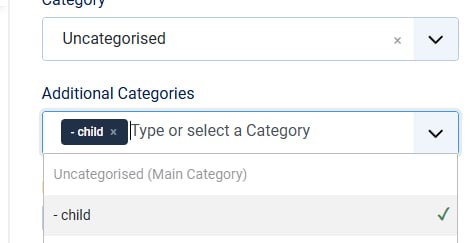
После добавления переменной появляется вот это в админке магазина:
ect the name "product_type_publish" from the dropdown menu on the configuration screen.
Add a column to your CSV file with a text value.
Values:
Y: Yes, the product type is published
N: No, the product type is not published
Empty: Empty value, the product type is published.
'; var $_PHPSHOP_CSV_EXPLANATION_PRICE_DELETE = 'The price_delete field is a special field. This field is used to determine if a price for a product should be deleted or not. This field is used when doing a multiple price upload. Before a price is deleted it needs to match the following fields:
product_sku
product_price
product_currency
price_quantity_start
price_quantity_end
Usage:
Select the name "price_delete" from the dropdown menu on the configuration screen.
Add a column to your CSV file with the value Y. If the field contains any other value, the product will not be deleted.
Values:
Y: Yes, the price is to be deleted
N: No, the price is not to be deleted
Empty: Empty value, the price is not to be deleted
'; var $_PHPSHOP_CSV_EXPLANATION_PRICE_QUANTITY_START = 'The quantity at which the mentioned price is available.
Usage:
Select the name "price_quantity_start" from the dropdown menu on the configuration screen.
Add a column to your CSV file with a numeric value.
Values: Numeric
'; var $_PHPSHOP_CSV_EXPLANATION_PRICE_QUANTITY_END = 'The quantity at which the mentioned price is no longer available.
Usage:
Select the name "price_quantity_end" from the dropdown menu on the configuration screen.
Add a column to your CSV file with a numeric value.
Values: Numeric
'; } class phpShopLanguage extends vmLanguage { } /** @global vmLanguage $VM_LANG */ $VM_LANG =& new vmLanguage(); ?>